Linux File System Deep Dive
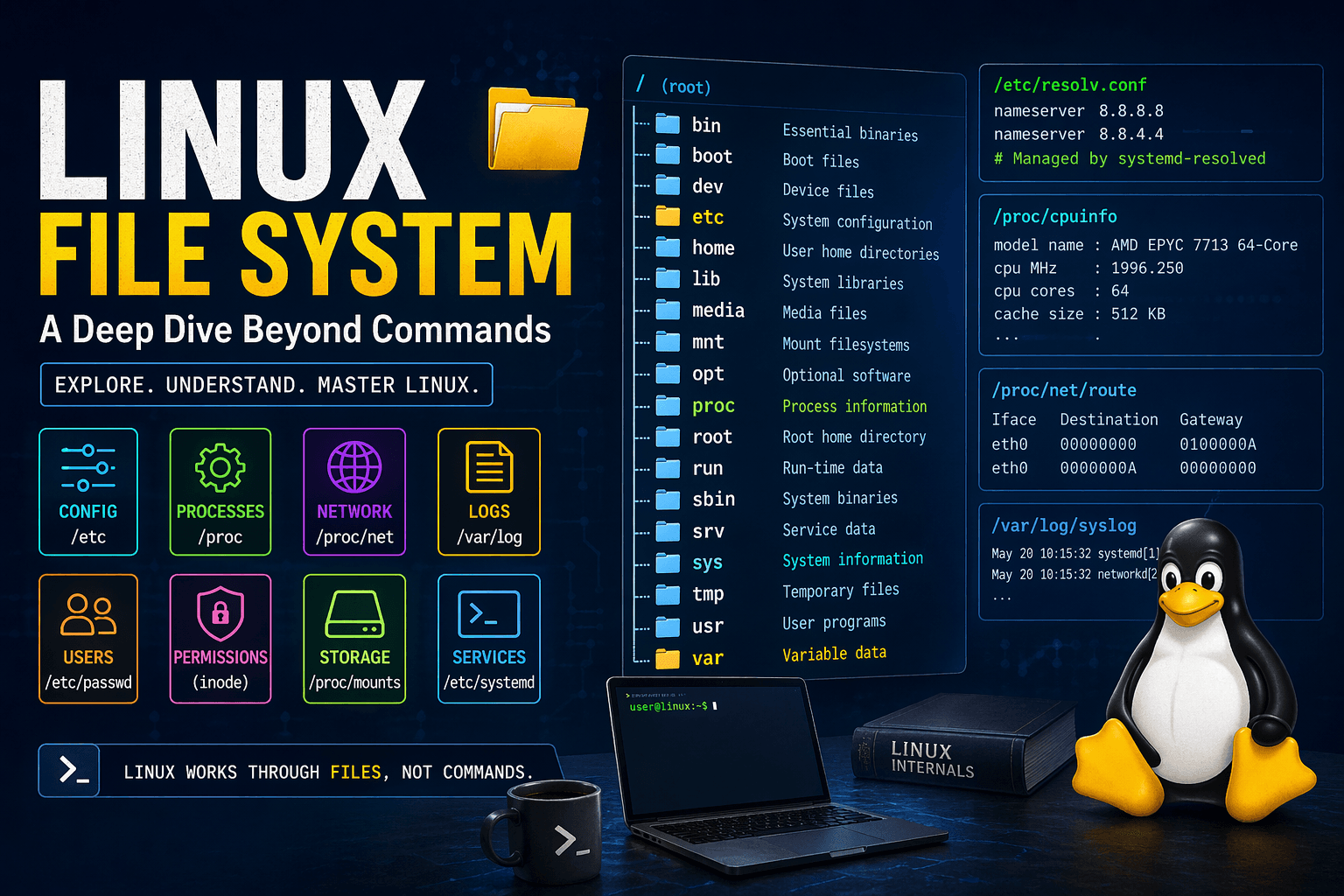
Most of us start using Linux by memorizing commands instead of understanding the concepts behind them.
But Linux is not really command-based. It is file-based.
Almost everything in Linux is controlled through files. Commands are often just tools that read from or write to those files.
In this blog, I want to share what I discovered by exploring real Linux system files and why they matter.
Linux Is File-Based, Not Command-Based
A strong way to understand Linux is to stop asking:
Which command should I use?
And start asking:
Which file controls this?
That shift changes everything.
/etc — System Configuration
The /etc directory contains system-wide configuration files.
It exists to separate configuration from the actual program binaries.
Example: /etc/resolv.conf
nameserver 8.8.8.8
nameserver 8.8.4.4
This file defines the DNS servers your system uses.
What I discovered
This file is not always static. On many systems, it is managed automatically and may point to:
/run/systemd/resolve/resolv.conf
That means manual edits can be overwritten.
Safe modification
Use the proper system tools such as:
systemd-resolvedNetworkManager
Or disable auto-management before editing it manually.
DNS System — How the Internet Works Internally
DNS converts domain names into IP addresses.
Without DNS, the internet may be connected, but websites will not resolve properly.
What I observed
- Multiple DNS entries for IPv4 and IPv6
- Warnings about too many DNS servers
Insight
Linux may ignore extra DNS entries if too many are defined.
Why it matters
If DNS breaks, the internet appears broken even when the network connection itself is working fine.
User System — /etc/passwd
A typical entry looks like this:
root:x:0:0:root:/root:/bin/bash
What it stores
- Username
- UID (User ID)
- GID (Group ID)
- Home directory
- Default shell
What I discovered
There are many accounts that are not real human users, such as:
daemonwww-datasyslog
These are system users used by services.
Insight
Linux uses UIDs internally, not usernames.
Passwords are not stored here. They are stored separately in:
/etc/shadow
Safe modification
Do not edit this file manually unless you fully understand UID and account mapping. Use system tools like:
useraddusermodpasswd
Permissions — Not Stored in /etc
File permissions are not stored in /etc or any central config file.
They are stored in the file’s inode, which is part of the file’s metadata.
What permissions include
- Owner UID
- Group GID
- Permission bits
Insight
Every file carries its own permission data.
Why this design matters
- Faster access
- No central lookup needed
- Security enforced directly by the kernel
/proc — Live System Data
/proc is one of the most powerful parts of Linux.
It is not a real folder on disk. It is created dynamically by the kernel in real time.
Processes in /proc
You will see directories like:
/proc/1
/proc/16
/proc/5012
Each numbered directory represents one running process.
Insight
Every process is exposed as a directory.
Useful files inside
cmdline— how the process was startedstatus— process state and memory infofd/— open file descriptors
CPU Information — /proc/cpuinfo
Example:
AMD EPYC 7713 64-Core Processor
cpu MHz : 1996.250
Insight
Linux exposes hardware information as plain text.
You do not always need special tools to inspect your system.
Routing Table — /proc/net/route
Example structure:
Iface   Destination Gateway
eth0    00000000    0100000A
What it means
00000000= default route- Gateway values are stored in hexadecimal
Insight
Linux stores networking details in raw, low-level formats.
Networking — /proc/net
This directory contains live network information such as:
- Active connections
- Network interfaces
- Routing information
Insight
Many networking tools are just reading these files.
For example, tools like netstat or similar utilities often use data from /proc/net.
Logs — /var/log
This directory stores system logs.
Important files
auth.log— login attempts and authentication eventssyslog— general system messagesbtmp— failed login attemptsjournal/— logs managed bysystemd
Why it exists
Logs help track system activity, errors, and history.
Insight
Logs are the memory of your system.
Safe handling
- Do not delete logs randomly
- Use log rotation tools to manage size safely
Mounts and Storage — /proc/mounts
This file shows all currently mounted file systems.
Insight
This is how Linux tracks storage dynamically.
It tells you what is mounted, where it is mounted, and how.
Kernel Behavior — /proc/sys
This directory contains tunable kernel parameters.
Examples
- Network behavior
- Memory settings
- Security-related parameters
Insight
You can change system behavior without rebooting.
Safe modification
Only change values if you understand what the parameter does.
Boot Configuration — /boot
The /boot directory contains files required for starting the system.
It usually includes
- The Linux kernel
- Bootloader files
- Boot configuration data
Insight
If /boot is corrupted, the system may fail to start.
Services — systemd
Service configuration files are often located in:
/etc/systemd
What it does
systemd controls background services and system startup behavior.
Insight
Services in Linux are usually defined by configuration files, not hardcoded logic.
Final Understanding
After exploring these parts of Linux, one thing became very clear:
Linux works through files, not commands.
Everything important is exposed through the filesystem.
| Component | Location |
|---|---|
| Configuration | /etc |
| Users | /etc/passwd |
| Processes | /proc |
| Networking | /proc/net |
| Logs | /var/log |
Final Insight
Instead of asking:
Which command should I use?
Start asking:
Which file controls this?
That is the mindset of a real Linux developer.