The Node.js Event Loop Explained
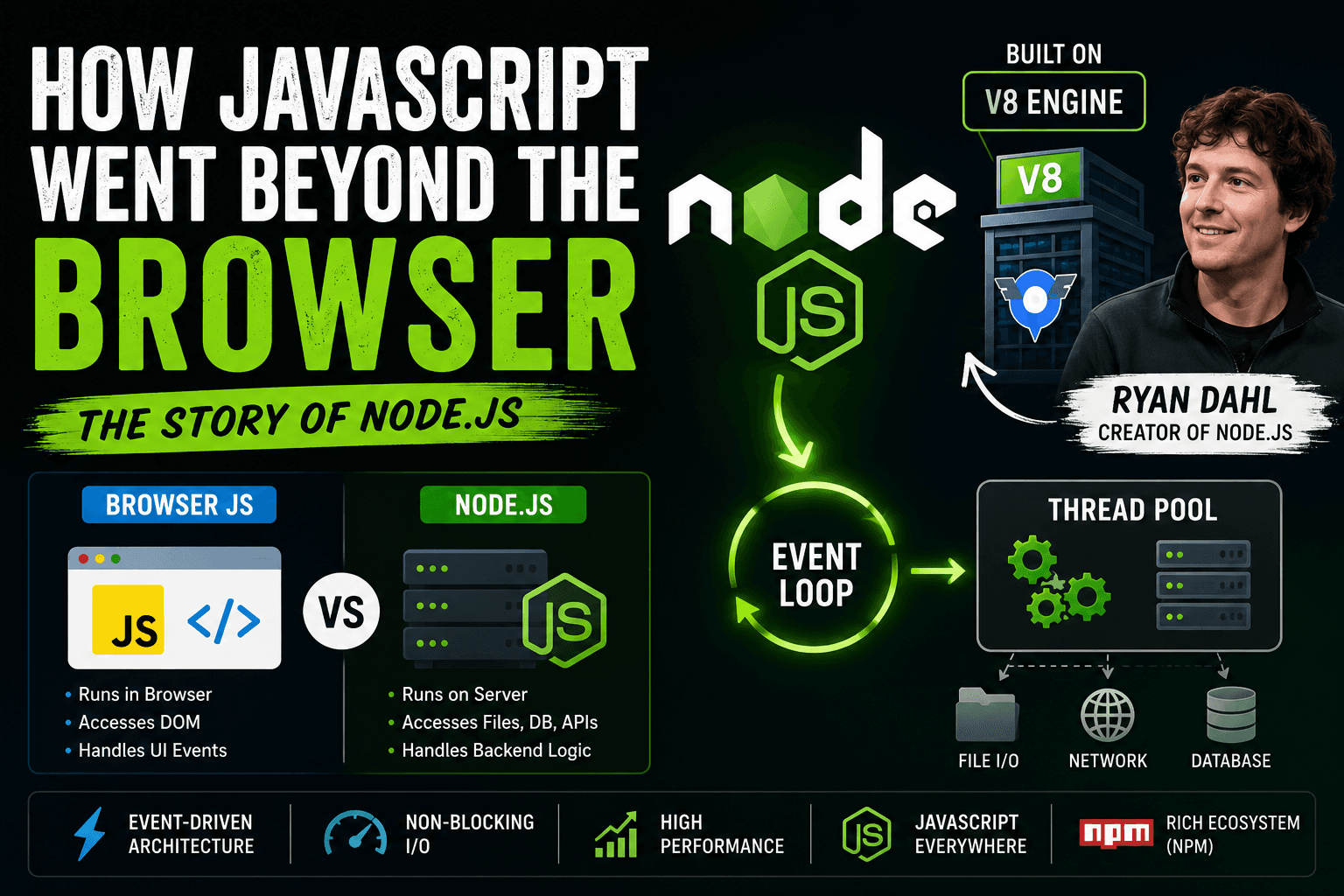
In today's article, we are going to discuss the event loop. But before making any further discussion, we must understand Node.js. In the early days, everyone used JavaScript in the browser. That time Ryan Dahl extracted the Google Chrome JavaScript runtime environment, which was the V8 engine, & put it with a C++ base & libuv. Then he compiled all this C++, V8, and libuv (libuv gives Node.js the event loop and thread pool) to make Node.js.
Now that we know the story, it becomes easy to understand Node.js for us.
What is the event loop?
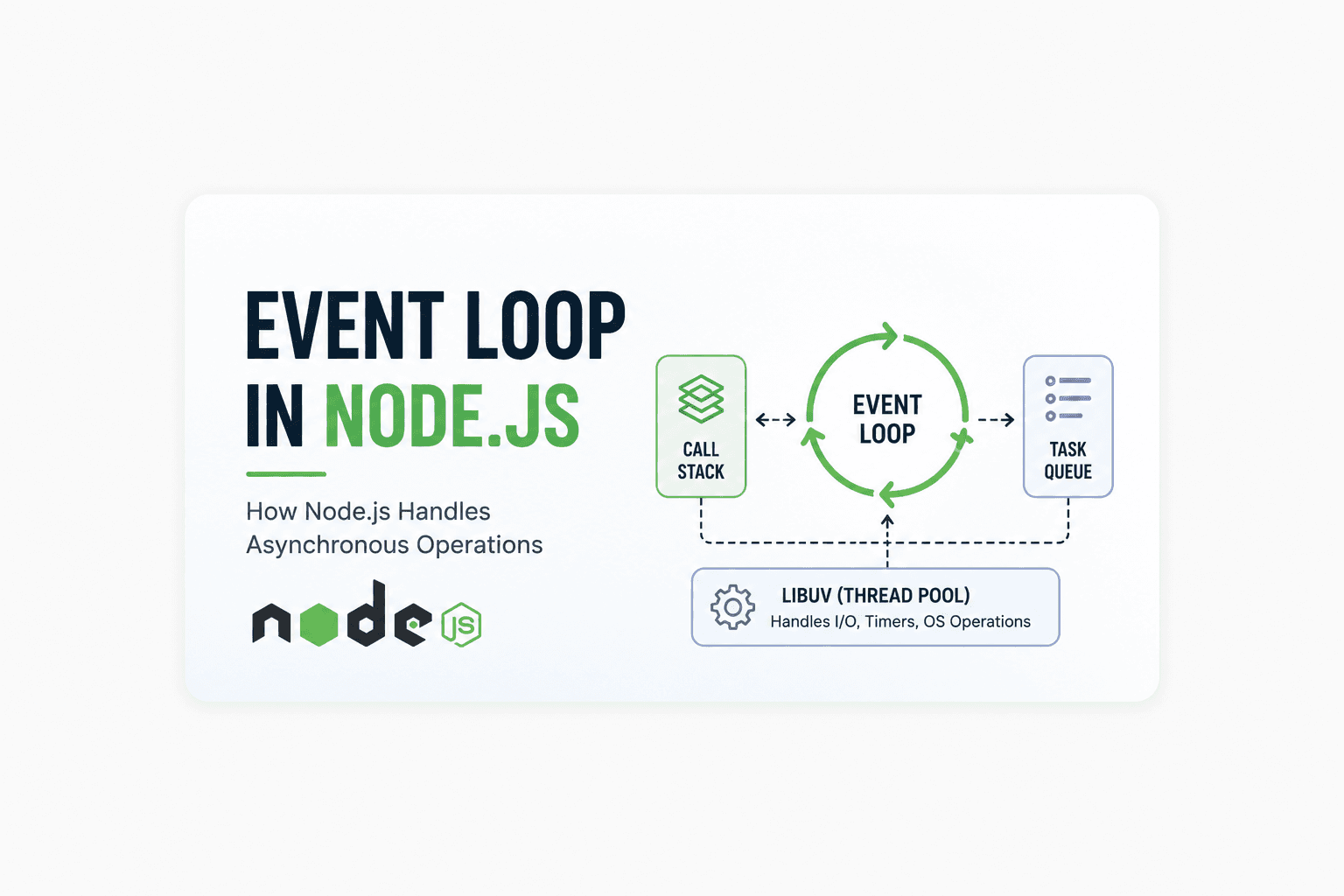
In Node.js, the event loop is a part of libuv (libuv is a multi-platform support library with a focus on asynchronous I/O). It was primarily developed for use by Node.js. The event loop allows Node.js to delegate some tasks to another thread available in the thread pool.
Why does Node.js need an event loop?
We all know that JavaScript runs on a main thread (single thread), so if in the main thread we run some task that ultimately blocks the main thread for a long time, a convoy effect may be encountered. Due to the event loop and task delegation, Node.js can execute multiple tasks concurrently.
Event Loop Phases in Node.js
Till now, we understood that the event loop works like a task manager. But internally, the event loop itself is divided into multiple phases. Every phase has its own responsibility and queue.
Mainly, we discuss these important phases:
Expired Timers Phase
I/O Callbacks Phase
Poll Phase
Check Phase
There is also a close callbacks phase, but initially, these four are enough to understand the event loop properly.
1. Expired Timers Phase
This phase executes callbacks of expired timers, like:
setTimeout()setInterval()
Many beginners think a timer executes exactly after the given delay, but that is not fully true. The delay means the minimum waiting time.
Let us understand this using an example.
Guess The Output
console.log("Start");

setTimeout(() => {
  console.log("Timer Callback");
}, 0);

console.log("End");
Try guessing the output before reading further.
Output:
Start
End
Timer Callback
Why?
console.log("Start")executes immediately.setTimeout()gets delegated to libuv.Its callback waits inside the timer queue.
console.log("End")executes immediately.Once the call stack becomes empty, the event loop pushes the timer callback into the stack.
Even though the delay is 0, It still waits for the current execution to complete.
2. I/O Callbacks Phase
This phase executes callbacks related to completed I/O operations, like:
File reading
Database operations
Network requests
Guess The Output
const fs = require("fs");

console.log("Start");

fs.readFile("demo.txt", () => {
  console.log("File Read Completed");
});

console.log("End");
Output:
Start
End
File Read Completed
Why?
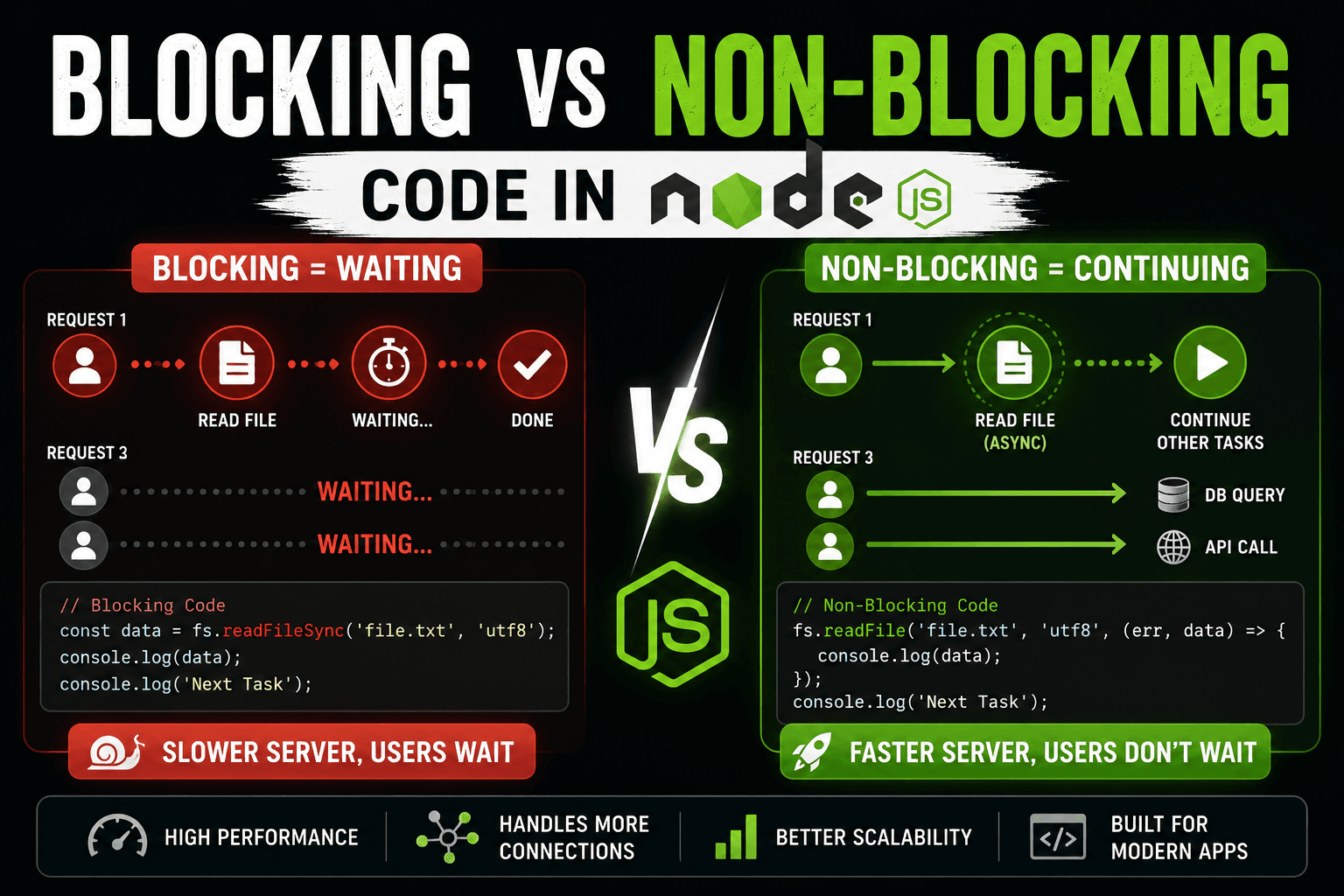
File reading is an asynchronous I/O task.
Node.js delegates it outside the JavaScript thread.
Meanwhile, the main thread continues execution.
After file reading completes, the callback enters the I/O callback queue.
The event loop executes it later.
This is why Node.js remains non-blocking.
3. Poll Phase
The poll phase is one of the most important phases in the event loop.
Its responsibilities are:
Checking for new I/O events
Executing I/O related callbacks
Waiting for incoming events if nothing is available
You can think of the poll phase as the heart of the event loop.
Guess The Output
const fs = require("fs");

setTimeout(() => {
  console.log("Timer");
}, 0);

fs.readFile("demo.txt", () => {
  console.log("File Read");
});
Most beginners think the timer executes first.
But output can be:
File Read
Timer
or sometimes:
Timer
File Read
Why?
Because file reading speed depends on the operating system and system performance. The poll phase handles I/O completion timing dynamically.
This is why async execution order sometimes becomes tricky.
4. Check Phase
The check phase executes callbacks scheduled using.
Guess The Output
setTimeout(() => {
  console.log("setTimeout");
}, 0);

setImmediate(() => {
  console.log("setImmediate");
});
Output can vary:
setTimeout
setImmediate
or:
setImmediate
setTimeout
Why?
Both are asynchronous, but they belong to different phases:
setTimeout()→ timers phase.setImmediate()→ check phase
Execution timing depends on the current state of the event loop.
setImmediate vs setTimeout Inside I/O
Now, let us see a very important interview question.
Guess The Output
const fs = require("fs");

fs.readFile("demo.txt", () => {
  setTimeout(() => {
    console.log("setTimeout");
  }, 0);

  setImmediate(() => {
    console.log("setImmediate");
  });
});
Output:
setImmediate
setTimeout
Why?
Within an I/O cycle:
After the poll phase completes,
The event loop directly enters the check phase.
So it
setImmediate()executes before timers.
This is one of the most important practical behaviours of the Node.js event loop.
Simplified Event Loop Flow
The simplified flow looks like this:
Expired Timers
       ↓
I/O Callbacks
       ↓
Poll Phase
       ↓
Check Phase
       ↓
Repeat Again
The event loop continuously rotates through these phases while the application runs.
How This Makes Node.js Scalable
Node.js: Instead of spawning multiple threads for each request,
Uses a single main JavaScript thread
Delegates async operations to system/libuv
Uses the event loop that allows efficient handling of callbacks
And for this reason:
Memory usage stays lower
Reduces context switch overhead
Can process thousands of calls simultaneously
That’s why Node.js is widely used for:
APIs
Applications in real-time
Streaming services
Chat systems.
Online servers
Conclusion
The event loop is the heart of Node.js, being non-blocking and scalable. It performs continuous checks on various phases and triggers callbacks when the call stack is available.
Comprehension:
clocks,
I/O callbacks,
polling stage,
and phase check
helps developers write better async code and avoid confusion about the order of callback execution in Node.js.