JavaScript Internal: How JavaScript works.
In today's article, we are going to discuss how JavaScript works internally. Before starting today's discussion, follow this blog for proper understanding
Introduction
We all know that on a website, there are mainly 3 thing exists
HTML (Hyper Text Markup Language)
CSS ( Cascading Style Sheet)
JavaScript
HTML is responsible for the structure of a website, CSS gives the styling of that structure, but JavaScript usually gives the functionallity part to it.
History of JavaScript
JavaScript was created in May 1995 by Brendan Eich at Netscape to make websites interactive. Originally named Mocha and then LiveScript, it was renamed JavaScript in December 1995 to ride the popularity of Java. It was designed as a lightweight scripting language for client-side web development and was quickly built into the Netscape Navigator browser.
In 1996, JavaScript was submitted to ECMA International, leading to the standardized ECMAScript specification, with ECMAScript 1 released in 1997. During the late 1990s, browser competition caused compatibility issues, but the language continued evolving. ECMAScript 3 (1998) introduced key features like regular expressions and error handling.
Around 1997, JavaScript became central to Dynamic HTML (DHTML), combining HTML, CSS, and JavaScript to create interactive pages without reloading—laying the foundation for modern web applications.
JavaScript and Factory
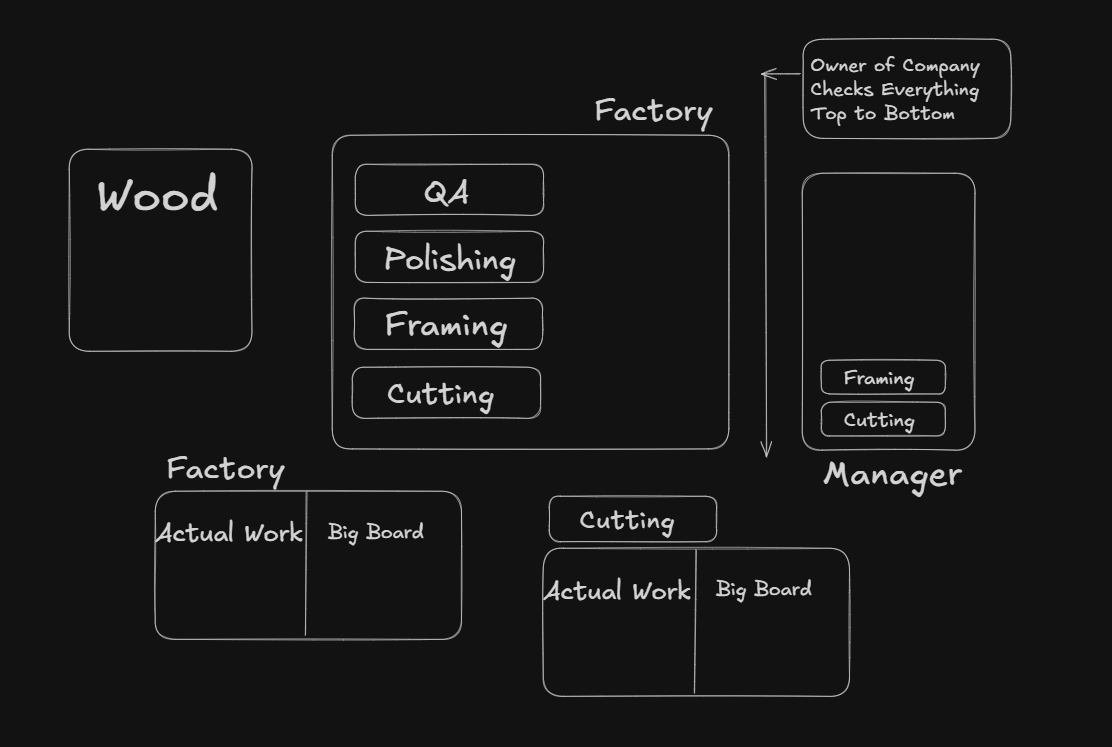
To understand the internal workings of JavaScript, let's take an example of a Wood Factory. We all know some kind of factory where furniture are build up. Let's try to understand their process, what are the step they follow to build furniture?
Step 1: Preparing the Wood
We know that there are many kinds of wood available in the market.
1. Deodar Wood
2. Sheesham
3. Sal Wood
Each wood has a few pros and cons like this
Deodar Wood: Lightweight, aromatic, and insect-resistant, but softer and less durable for heavy furniture.
Sheesham: Strong, long-lasting hardwood with beautiful grain, but heavy and relatively expensive.
Sal Wood: Extremely tough and rot-resistant construction wood, but very heavy and hard to work with.
So the point is, if we know which wood will serve our purpose, our upcoming work become more easy.
Step 2: Cutting The Wood
Once the wood enters the factory, each factory has a few sections to solve specific tasks. Like a furniture factory, after it receives the wood, it should cut it based on the requirements.
Step 3: Framing the Wood
Once the wood is cut into peices it should be send the the next segment of the factory where each peice combined to build the final furntiure
Step 4: Polishing & QA
In this step, polishing and quality assurance are checked on the final furniture.
The Manager (Ji)
In a furniture factory, a manager controls the whole process and keeps all departments connected. Each department tells the manager when they finish their work. For example, if the cutting team finds damaged wood, they inform the manager. The manager decides to send it for repair. After the repair is done, the repair team tells the manager, and the manager tells the cutting team to continue. This system keeps work organized, avoids mistakes, and makes production smooth.
Now let's connect the JavaScript with the Factory.
Datatypes
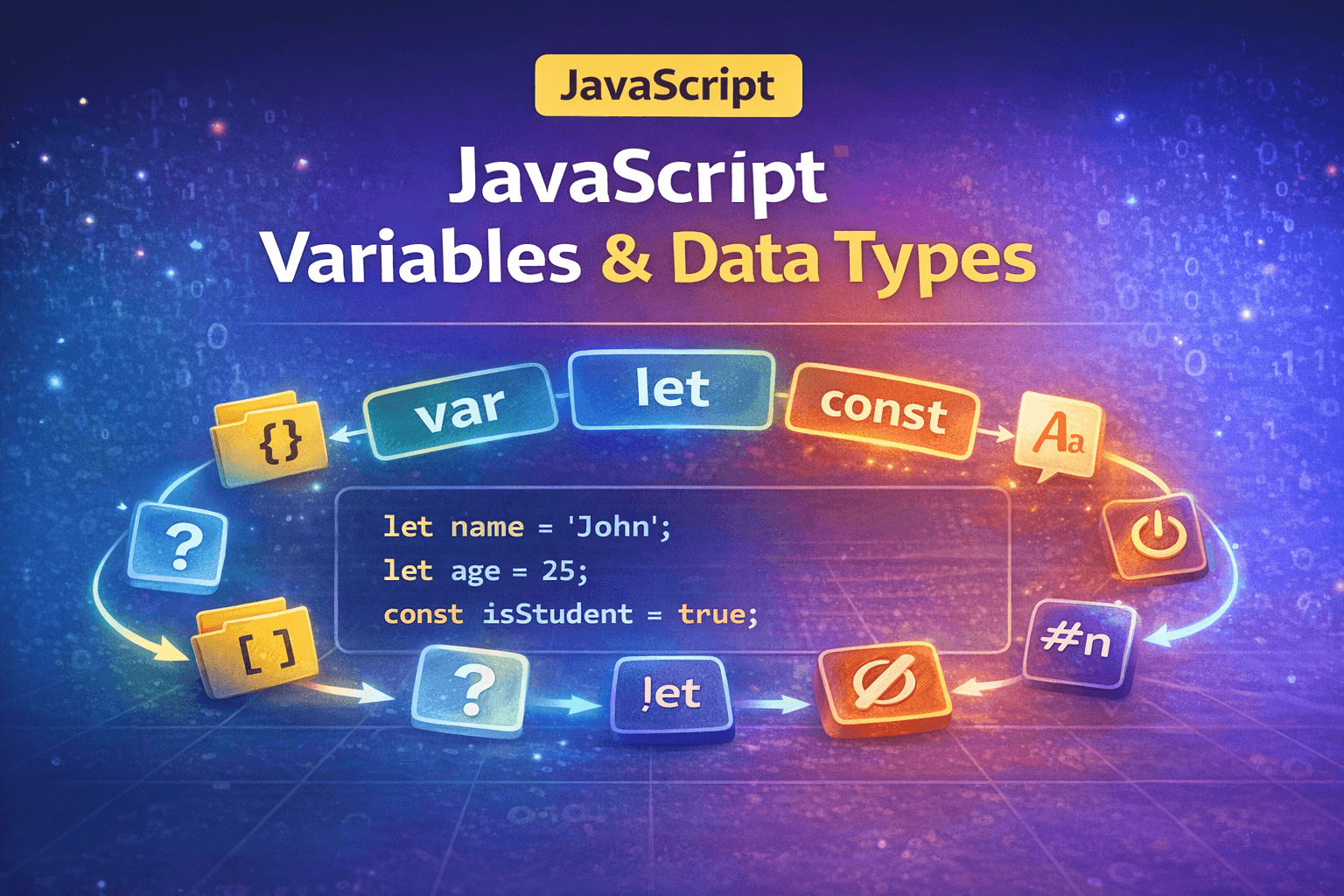
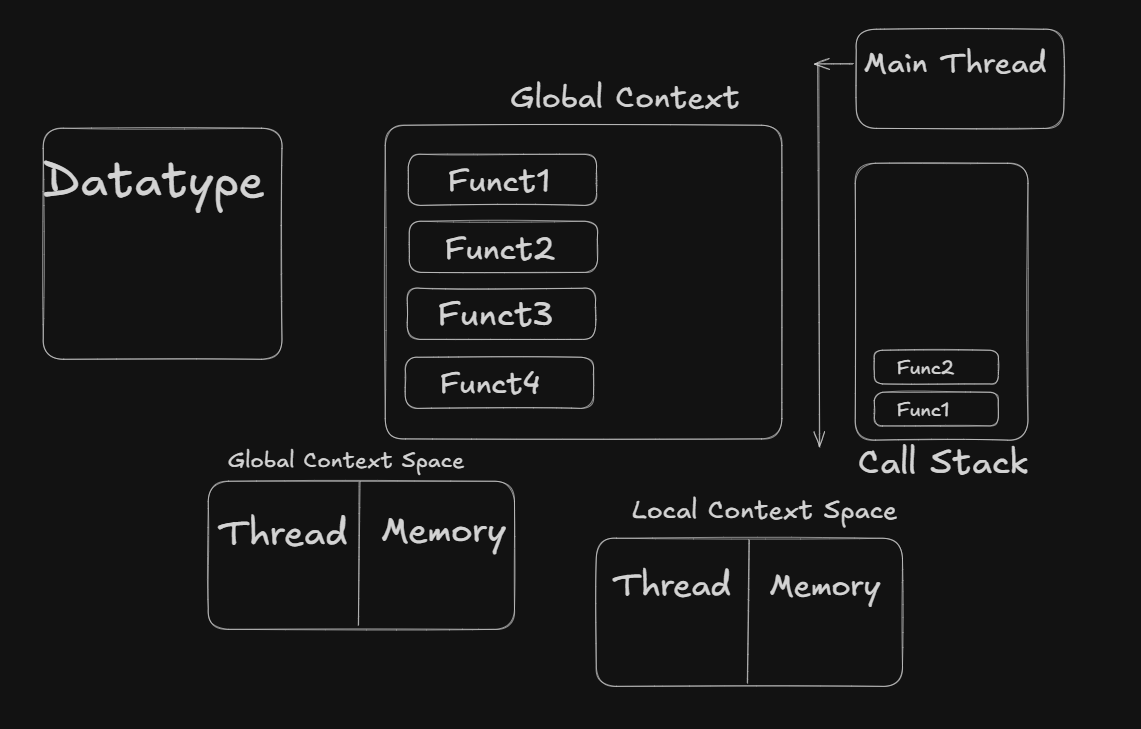
In a factory, remember the wood, in JavaScript, they are Datatypes. Each datatype has its own capabilities and features. Like wood, here also we need to understand which datatypes do the job for us. Sometimes selecting the perfect datatype also does major role in the final product.
Global Execution Context
This is a fancy name for a factory. Here same like a factory in JS, we have a global execution context. Like a factory, we need some flow, like if a furtinue to be build we need to follow each step. Global execution context is actually the code that is not bind in a function or object. We can say this holds the code that is important to run the factory.
Local Execution Context
This is another fancy name for a department. Like in a factory, we have a cutting department, then framing, and so on. In JS, the Local Execution Context is the function that does the specific job as required.
Space
For Global Execution Context and Local Execution Context, both has thier own space. Each space has 2 parts itself-
Execution Thread
Memory
For example
# This is an JavaScript code
let n=2
funtion sum(num){
    return num+n;
}
# Here n goes into global execution context memory
# and num goes into local execution context memory
Call Stack
It maintains the function flow. Same as manager ji. It manages all the function calls, and it follows the stack (LIFO) principle.
Conclusion
JavaScript may seem complex internally, but when broken down into concepts like execution contexts, memory, and the call stack, it follows a clear and logical process. Understanding these basics builds a strong foundation that makes learning advanced JavaScript concepts much easier.